
A cabin function still needs a tactile HMI control when the driver must find it by touch, use it repeatedly, operate it with gloves, or confirm it without looking down for long. A touchscreen can handle menus and low-frequency settings. A physical key, backlit membrane switch, rubber key or mixed overlay is still useful for high-frequency and fallback actions where location, shape and feedback matter.
In its announcement of the 2026 assessment protocols, published on 26 November 2025, Euro NCAP says it will assess the placement, clarity and ease of use of essential controls, including whether commonly used functions have physical buttons. This is a vehicle-level assessment, not a pass mark or design specification for a Baoshengda part. An OEM still has to decide which actions need direct access and document why.
If your team is sourcing an automotive control layer, start with the function map before freezing artwork. Baoshengda's automotive HMI solution can combine graphic overlays, membrane switch circuits, backlit icons, FPC tails, FSR inputs and keypad structures, but the useful quotation question is simpler: which functions need tactile location and which can remain on the display?
Separate routine actions from menu actions
The first split is frequency. A physical control makes more sense when the action is used often, used while the vehicle is moving, or used when the display may be occupied by navigation, camera view, warning information or system messages.
Good candidates for tactile review include:
- hazard or warning-related input zones;
- defrost, demist or climate shortcuts that are used under poor visibility;
- lock, window, mirror or seat functions that users expect to find by hand;
- drive-mode, charging, service or auxiliary controls that need a clear confirmation point;
- maintenance or diagnostic interfaces that technicians operate repeatedly.
Low-frequency settings, personalization menus and information browsing can usually stay inside the display. The buyer's job is not to make a physical-control list as long as possible. It is to prevent a critical or repeated action from being hidden behind too many taps.
Record the function decision before choosing the keypad
A function map is more useful when it shows the reason for each control choice and the evidence needed next. For example, a frequently used defrost command may deserve a fixed tactile location and a night-readability check; a rarely changed personalization setting may remain in a screen menu. A service input may need a physical key yet remain separated from controls intended for the driver. These are review examples, not a universal vehicle specification.
- Routine action on a physical key: mark the active and neighboring zones on the drawing. In the mounted sample, check whether a finger or intended glove can reach that key without hitting the next one.
- Backlit legend: state the viewing angle and lighting condition. Photograph the proposed icon at night in the housing, then compare its readability with the approved artwork.
- Low-frequency setting on the screen: record why menu access is acceptable. If an overlay surrounds the display, confirm the window datum and visible boundary against the front artwork.
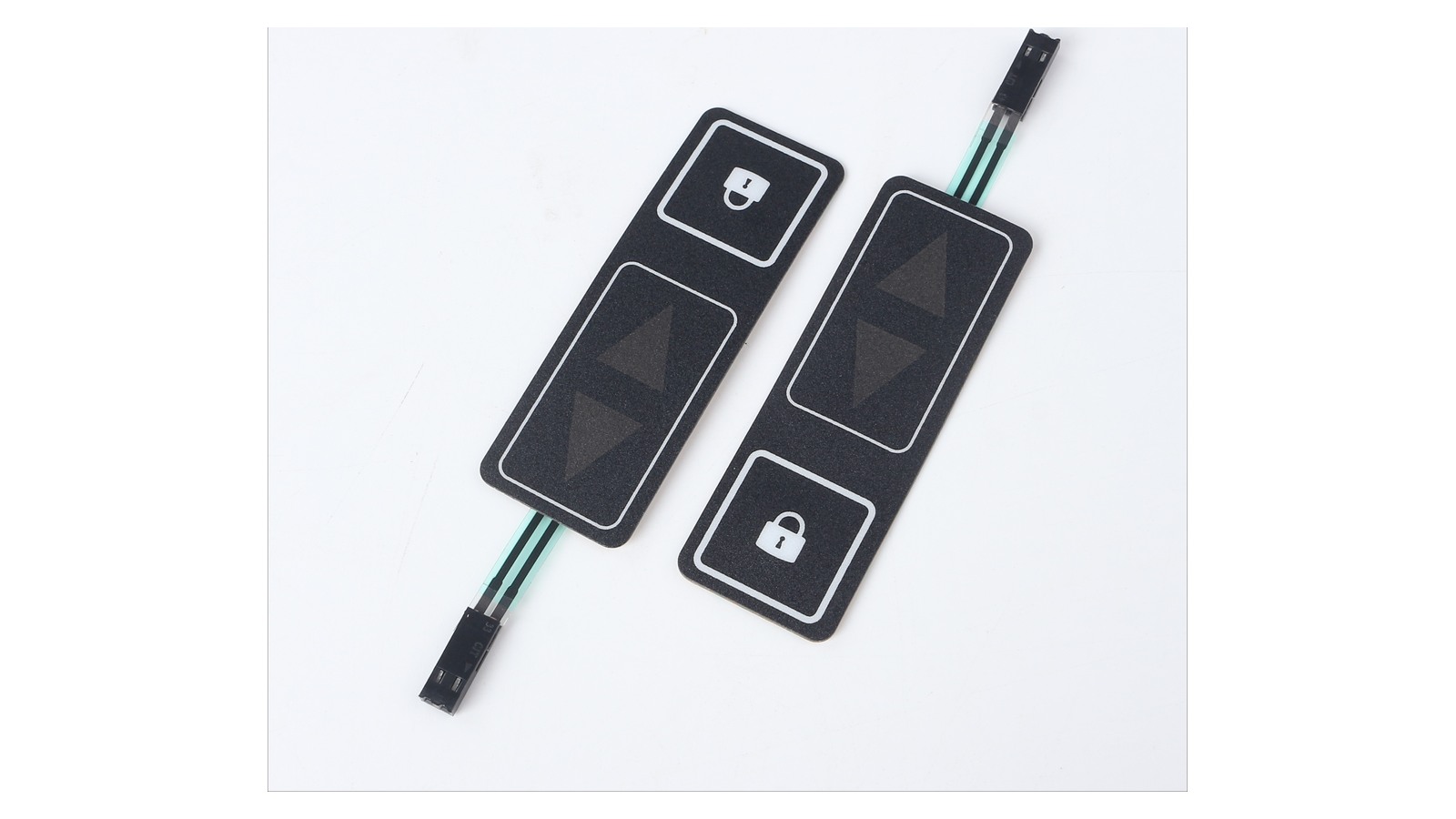
The pictured loose samples make their lock symbols, switch faces, tails and connector ends visible. They cannot show reach from a vehicle seat, key feel on the final support, night readability or a completed installation. Record those as mounted-sample questions rather than treating the cover image as test evidence.
Match the control type to the use condition
After the function list is chosen, match each item to the operating condition. A flat printed overlay may be enough for a panel that is mainly visual. A tactile membrane switch or rubber keypad is a better fit when the user needs a finger stop, dome feel, raised edge or button separation. Backlighting matters when the symbol must be found at night, but it also creates risks around light leakage, icon registration and dead-front contrast.
For mixed automotive HMI panels, review these choices before tooling:
- flat graphic overlay for visual labels and windows;
- embossed or domed key area for finger location;
- metal dome or tactile layer when a click feel is required;
- LED, LGF or EL backlight path for night readability;
- FPC tail, connector and stiffener position for assembly access;
- rear adhesive and support layer where the finger load reaches the housing.
A common failure is treating the front artwork as the whole product. The icon may look correct in a PDF, but the installed key can feel soft if the rear support gap is too large, leak light at the edge, or pull the tail against a tight plastic rib.
Define the evidence you want from the sample
A quotation drawing should not only name the product as an automotive HMI panel. It should tell the supplier what the first sample must prove. For a tactile control area, the evidence often includes key travel feel, symbol readability, night-light uniformity, tail exit direction, connector access, housing fit and adhesive landing width.
Ask for a sample review plan that shows:
- the exact cabin module or enclosure area where the control will sit;
- active key zones, inactive printed zones and display windows;
- backlight color, icon shape and any dead-front requirement;
- target tactile feel or dome type if a click response is required;
- tail length, bend path, stiffener side and connector orientation;
- expected temperature, sunlight, cleaning and glove-use conditions;
- what the buyer will approve on the first sample and what remains for vehicle-level validation.
This list keeps the RFQ practical. It also prevents the supplier from quoting only a printed face layer when the project actually needs a complete switch circuit, backlight stack or keypad assembly.
Watch the tradeoff between fewer controls and safer access
Reducing button count can make a cabin look cleaner, but it can also concentrate too many actions into a screen. Adding physical controls solves one problem but creates others: more part numbers, more assembly openings, more backlight paths, more sealing edges and more durability checks.
A practical control allocation is usually mixed. Keep the screen for flexible information and low-frequency settings. Give tactile access to actions that need fast location, repeat use, poor-light operation or a fallback when the display is busy. For each hard key, define why it exists. For each screen-only action, define why touch access is acceptable.
For the separate artwork-and-lighting decision, see the night sample and backlit-legend photo checks. If the control sits beside a display, the dashboard overlay heat-and-glare sample checks address a different installed-view question. Neither guide replaces this function map.
What to send for an automotive HMI quotation
An initial enquiry can start with the function list, current artwork or a photo, the intended cabin location and the next decision the sample must answer. Mark open functions and an undecided connector as open. For a provisional quotation, agree which switch layers, backlight and tail/connector assumptions are included. Before sample approval, compare the chosen keys in the intended housing and with the buyer's viewing, glove and access conditions. Vehicle-level usability and safety approval remain with the OEM. The drawing package can then be refined with:
- front artwork with active and inactive areas marked;
- section drawing or housing photo showing the mounting surface;
- key function list with tactile, backlit and screen-only items separated;
- material preference for overlay, keypad or circuit layers;
- backlight color and visibility requirement;
- connector type, pitch, tail length and exit side;
- sample quantity, annual estimate and validation notes.
Baoshengda can review the membrane switch, overlay, backlight and tail structure against the buyer's drawing. Bring the current function map to the Request Quote page even if some inputs remain provisional. Production release requires the approved artwork and circuit revision, identified mounted sample, connector view and buyer-owned validation record; a component quote or loose keypad photo cannot supply those results.
Need help reviewing a structure?
Send your drawing, photos, application, and quantity. Baoshengda can help check the structure before sampling.
Send Drawing for Quote