
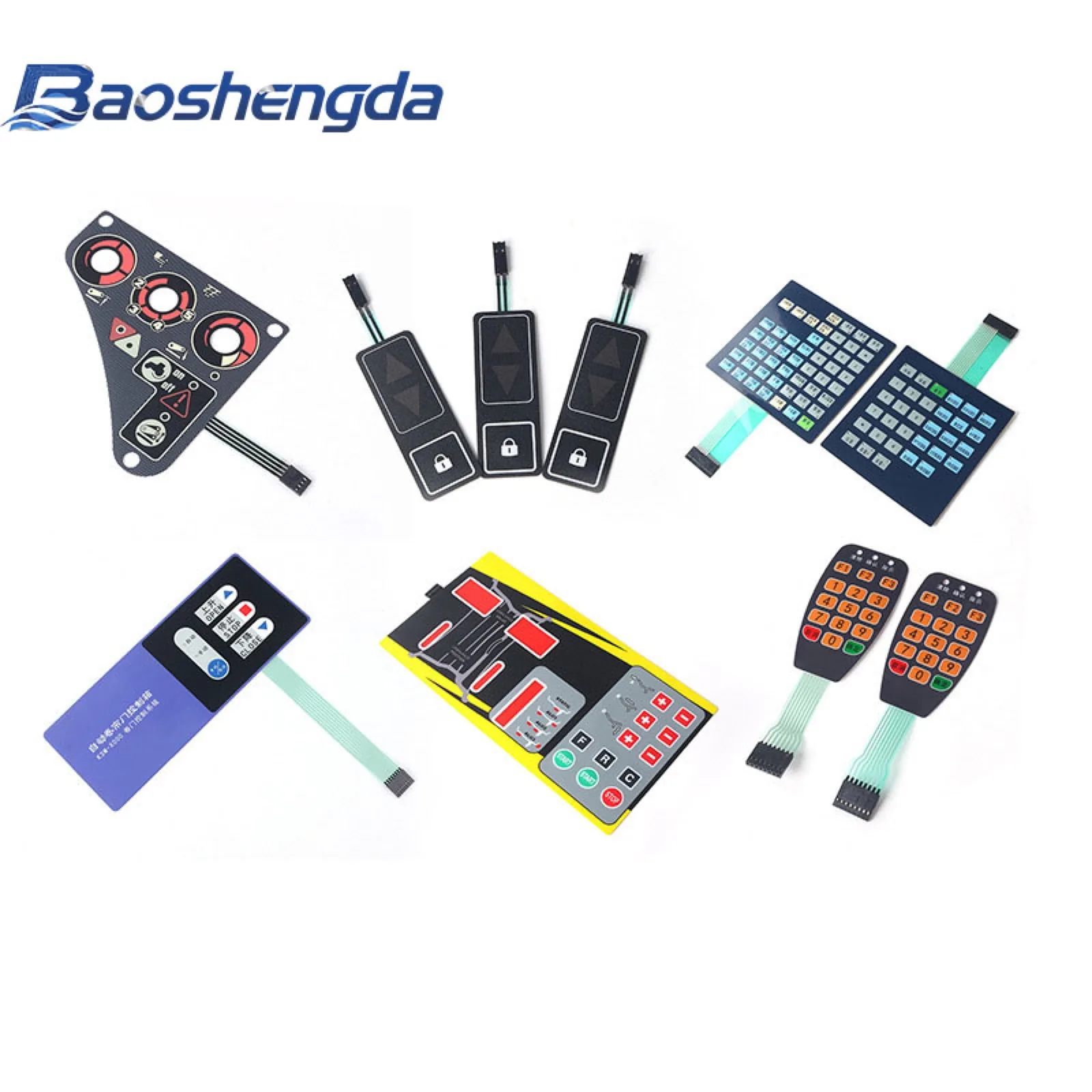
For an industrial HMI, use a membrane keypad when operators need fixed, clearly labelled routine controls and the housing needs a thin printed panel. Keep changing data and complex menus on a display. Define the keys around the actual operator task, housing, environment and circuit interface before selecting a stack. A printed “stop” key on an ordinary membrane panel is not proof of an emergency-stop safety function. The machine designer must specify and validate safety functions separately.
Allocate the routine controls before drawing the overlay
List the actions used at the machine, in setup and during service. Identify controls that must remain visible. Then decide where tactile confirmation is needed and what can stay in a screen menu. Gloves, cleaning, low light and repeated operation may affect that allocation. The panel supplier can review the industrial HMI panel component; the equipment designer remains responsible for controller logic, risk assessment and the assembled machine.
Buyer problem: touch screens are not always enough
Touch screens are useful for data, menus, and flexible software features. In industrial equipment, however, some actions still benefit from a physical key area or printed panel. Operators may work with gloves, dust, oil, cleaning liquid, low light, vibration, or repetitive tasks.
Consider a membrane switch or keypad area when the interface needs:
- Tactile confirmation for frequently used keys.
- Printed icons or labels that stay in a fixed position.
- A front surface designed for the stated dust or splash exposure, subject to housing and assembly checks.
- Compact structure where a full touch display is unnecessary.
- A dedicated circuit interface for simple, fixed control functions.
- A replaceable overlay or keypad for service parts.
The decision should be based on the user task, environment, and assembly structure rather than appearance alone.
Which functions should become physical keys?
Start by listing the actions that operators use most often or need to find quickly. These are usually better candidates for a dedicated membrane key, rubber key, metal dome key, or hybrid control area.
Typical physical-key candidates include:
- Routine start, stop, reset and confirm keys, with each function defined in the machine control plan.
- Direction keys and mode selection.
- Numeric entry for setup or service.
- Alarm acknowledgement and test functions.
- Frequently used machine parameters.
- Service functions that should not be hidden inside a menu.
Treat an emergency stop or other protective function as a separate system-level decision. Do not infer a safety rating from a key label, tactile click or printed overlay. Ask the equipment engineer which control functions, if any, need a separately designed and validated safety circuit.
If the product also has a display, define which keys sit around the window and which functions stay on the screen. This avoids a common sample problem where the overlay artwork looks good, but the operator workflow is awkward.
Product and design checks before sampling
Before requesting a quotation for a custom membrane switch, check the complete HMI structure, not only the printed artwork.
Confirm:
- Overlay material: PET or PC, matte or gloss, textured or smooth.
- Key type: tactile dome, non-tactile, embossed, flat, rubber keypad, or mixed structure.
- Window requirement: LCD, LED, display, transparent lens, or dead-front icon area.
- Backlight requirement: LED position, light guide, icon opacity, and night visibility.
- Sealing requirement: splash, cleaning, dust, humidity, or outdoor exposure.
- Adhesive surface: plastic, metal, powder coating, glass, or textured housing.
- Tail route: exit direction, bend radius, length, and strain relief.
- Connector: pitch, pin count, contact side, stiffener thickness, and mating PCB position.
Check a sample on the intended housing for fit, key operation and tactile feel. Record the result against buyer-defined criteria. A matching appearance alone is not approval.
How should buyers think about tactile feedback?
Tactile feedback matters when operators need confidence without staring at the panel. A metal dome under a printed key can provide a click feel in a thin structure. A non-tactile design may work for simple sealed surfaces, but it gives less feedback.
Discuss:
- Whether the user wears gloves.
- Required key size and spacing.
- Actuation force target if known.
- Embossing height and shape.
- Whether keys sit near a display, window, or housing edge.
- Whether the final panel feel changes after bonding to the housing.
If the buyer has an old sample with a known good feel, send it or send a short video. If the old part failed, describe whether the issue was weak click, stuck key, cracked tail, poor printing, or edge lifting.
How should sealing and cleaning be specified?
Industrial automation equipment may face dust, oil mist, coolant, alcohol wipes, fingerprints, or normal factory cleaning. A panel is not made waterproof by one material choice. The sealing depends on the panel edge, adhesive, tail exit, window area, housing fit, and assembly pressure.
Before sampling, define:
- Splash, wipe-down, humidity, or outdoor exposure.
- Cleaning liquid or chemical contact if known.
- Whether the tail exit needs extra protection.
- Whether there are screw holes, display windows, or LED openings.
- Whether the housing surface is flat, curved, textured, or coated.
- Whether the panel edge may be rubbed during operation.
If the environment is unclear, request a quotation with the exposure and sealing assumptions stated in writing. The waterproof membrane-switch guide separates the edge, tail exit and housing interfaces. None of those checks establishes an IP rating without the specified assembly and test.
RFQ checklist for industrial HMI membrane switches
For a quotation tied to the actual component interfaces, send what you have and mark unknowns rather than guessing:
- 2D drawing with outline, hole, window, and key dimensions.
- Artwork file with icon, color, and label requirements.
- Product application and operating environment.
- Housing photo, material, and mounting-surface details.
- Key feel requirements and any reference sample.
- Display, LED, backlight, or dead-front requirements.
- Tail exit direction, tail length, pin count, and connector pitch.
- Adhesive, sealing, cleaning, or surface finish requirements.
- Sample quantity, production quantity, and target schedule.
- Known failure history from the previous version.
If the connector, exposure or housing finish is still open, ask the supplier to identify the provisional choice in the offer. Send the drawing or photos through Request Quote and separate the sample quantity from the estimated production range. A preliminary quote is not a verified performance result.
Sample approval checklist before production
Before releasing an industrial HMI membrane switch to mass production, check:
- Printed label position, color, and readability.
- Fit around the housing edge, screw holes, and display window.
- Key feel after the panel is mounted.
- Electrical continuity for every key or circuit line.
- Tail bend route and connector mating.
- Adhesive bonding and edge-lifting risk.
- Window clarity, LED position, and backlight appearance if used.
- Surface response after normal cleaning or handling.
- Packaging protection for printed or coated surfaces.
Use the sample-approval checklist to record the buyer's acceptance criteria and results on the intended assembly. Keep the approved sample, drawing revision, artwork file, and test notes together. If production follows an older drawing while the buyer approved a newer sample, the project can fail even when the manufacturing process is stable.
Handoff for the next revision
Send Baoshengda the key map, housing drawing or photos, actual cleaning and exposure conditions, tail and connector details, and known failures from any earlier version. The component review can identify a proposed panel structure and open sample checks. The buyer then confirms the machine-control boundary, mounted fit, electrical interface and final approved revision before production. No safety certification, sealing rating, lead time or test result follows from the article or cover image alone.
Need help reviewing a structure?
Send your drawing, photos, application, and quantity. Baoshengda can help check the structure before sampling.
Send Drawing for Quote