
Review a PET graphic overlay on an identified mounted sample before and after the equipment owner's agreed cleaning sequence. Record the display window, printed features and bonded edges separately. A cloudy view and a lifted corner need different evidence before anyone assigns a cause. An initial inquiry can start with an available panel photo or drawing, intended use, approximate quantity or the cleaning question still open. A complete production drawing is not required to begin.
An anti-glare display specification leaves a cleaning question open
In its DPC-1210 announcement published on 2026-10-22, Darveen describes a 21.5-inch projected-capacitive touchscreen with an anti-glare surface. Those are the manufacturer's stated display features. The announcement does not describe a separate PET graphic overlay, identify a cleaner for one or report a mounted overlay cleaning test.
For a buyer adding a printed film to its own display-equipped enclosure, the useful question is which surface will actually be cleaned and what evidence will show that it remains acceptable. An anti-glare description does not settle the behavior of a different film, coating, printed border or adhesive edge placed in front of that display. Identify the proposed construction before treating a display feature as an overlay requirement. The review below is a proposed component-sample method, not a reported Darveen defect, a measured Baoshengda result or evidence of a supply relationship.
Identify the sample and the surface being wiped
Mark the exposed face, display window, opaque printing, embossed areas and adhesive perimeter on a front view. A clear area in the artwork may sit over a display, a separate lens or an opening; record the actual stack rather than assuming which surface the operator touches.
Record the known film grade, thickness, coating and print orientation. Mark unresolved material choices as provisional. State whether the sample is a loose overlay, a bonded front assembly or a complete powered HMI. Give the specimen and the drawing their own revision identities, and record any protective film that will be removed before assessment.
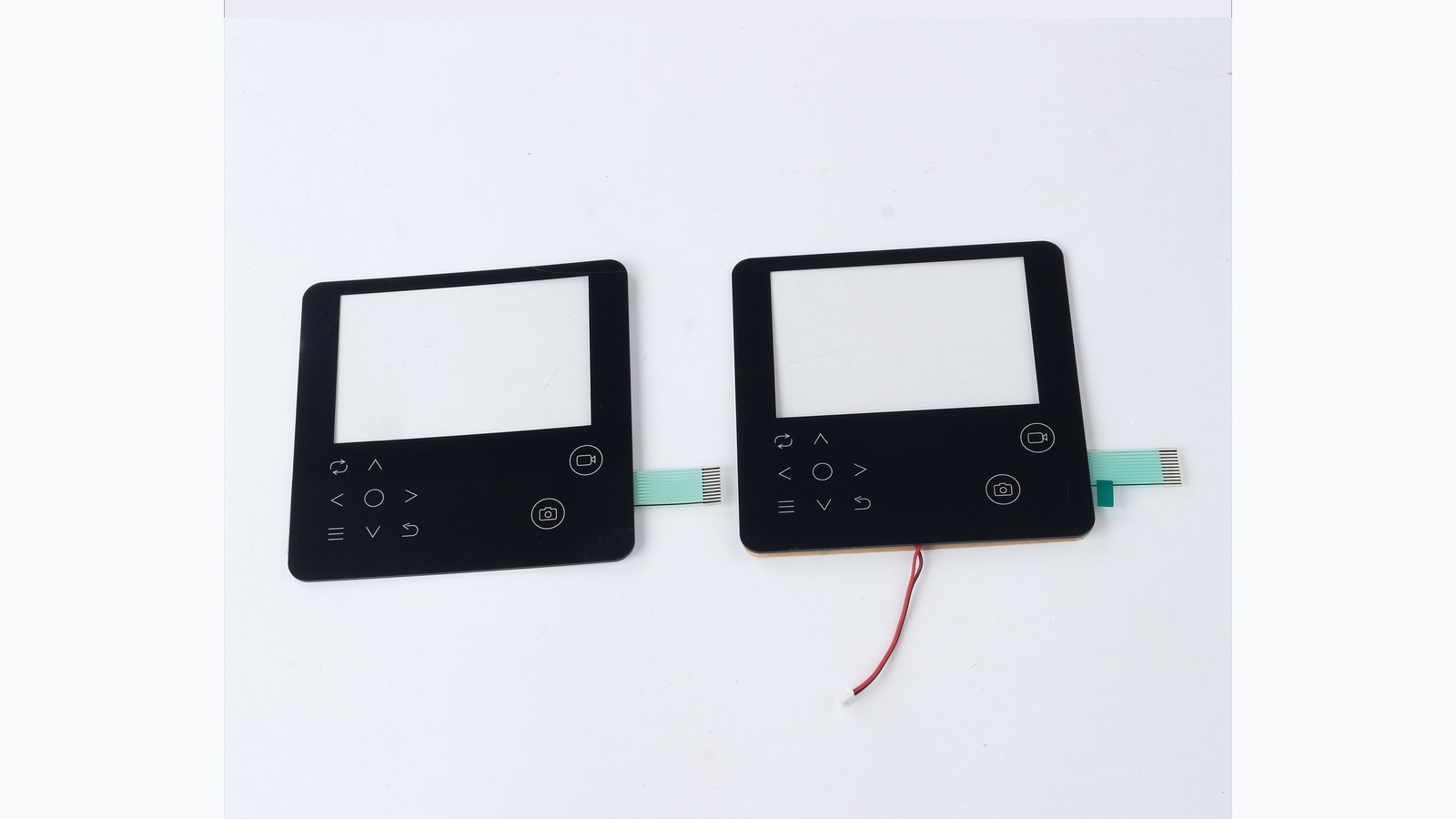
The retained photo shows two complete control-panel samples with windows and contact tails. It illustrates the component form; it does not show a cleaning test, an installed display or proof of film chemistry. The buyer's own mounted specimen is needed for the review.
Agree the cleaning conditions before starting
Ask the equipment owner to name the cleaner, dilution if applicable, cloth or wipe, application method, contact time, drying condition and repetition to be evaluated. Record the instruction revision and who confirmed compatibility with the exposed materials. Do not substitute a household cleaner or apply an unspecified disinfectant to discover whether it works.
Agree whether cleaning requires power to be removed and when a powered display check is permitted. Follow the equipment instructions rather than spraying, flooding or pressing on an assembled screen. Let the responsible equipment team define any electrical isolation and handling precautions. A component sample review does not establish disinfection efficacy or complete-device compliance.
Adhesive preparation and mounting conditions also belong in the record: the housing material and finish, bonding surface, installation method and the interval before evaluation. Use the intended assembly process or record why a representative fixture is acceptable. An unsupported edge on a bench sample is not equivalent to a bonded perimeter on the housing.
Keep the before and after views comparable
Before cleaning, inspect the identified assembly with the protective film removed where the agreed procedure requires it. Use the same viewing positions, illumination and background for the later comparison. Record existing scratches, haze, particles, edge marks or raised corners so they are not automatically attributed to the cleaning sequence.
For a display window, distinguish reflected-light appearance from the transmitted display image. When permitted, use the same screen content and settings before and after the sequence, including the details the operator must read. Keep camera position and exposure consistent if taking photographs. Photographs help locate a change; they do not replace the agreed inspection of the actual sample.
| Area observed | Before and after evidence | Question to resolve |
|---|---|---|
| Window surface | Matched reflected-light view and, where permitted, powered display view | Has the exposed surface changed, or is the symptom elsewhere in the stack? |
| Printed legends and border | Same viewing position, sample identity and agreed appearance reference | Is there a change in the print or coating rather than only removable residue? |
| Bonded perimeter and window corners | Located edge observations and the actual housing support condition | Is the edge still seated, or is there a local lift, gap or bond change? |
| Embossed regions and cutouts | Identified locations before and after the agreed handling | Is a mark or deformation new, and does it affect the intended part function? |
Separate observations from a failure diagnosis
After the agreed cleaning and drying sequence, repeat the baseline checks before changing the assembly. Locate each observation on the same front view. Record the condition as seen: for example, a changed reflection over the window or a raised corner at a named position. Do not label either one a material failure without supporting evidence.
If the window looks cloudy, first confirm that the protective film, screen settings, lighting and drying condition match the baseline. Further inspection may be needed to distinguish surface residue, a changed film or coating, a bond-line feature and an underlying display issue. Do not peel the only reference sample apart or press the window to make a mark disappear. The relevant material or assembly owner should define any additional examination.
If a corner lifts while the window remains clear, retain the edge and mounting evidence separately. Record the affected location, housing finish, support and preparation history. A stronger adhesive cannot be selected from a photograph alone; the corrected construction and assembly conditions need an identified sample and agreed checks.
Close the sample record before releasing the construction
Agree the acceptance criteria and inspection method before testing. Keep window appearance, print condition and bonded-edge results as separate entries, including unresolved items. Record the specimen, construction, assembly and procedure revisions with the decision. Review any later change of film, coating, cleaner, adhesive or housing finish against that record. A matching material name is not an approval.
Baoshengda can review the printed layout, window zones, film construction and adhesive geometry for a custom graphic overlay film panel. The equipment owner remains responsible for the cleaning instructions, display and touch behavior, electrical safety and complete-equipment validation. No universal cleaner concentration, wipe count, optical limit or service life follows from this proposed review.
To start an overlay inquiry, send an existing photo or drawing if available, the application, approximate quantity and the unresolved cleaning or edge question. For a sample plan, add the exposed-surface map, known materials, housing finish and agreed procedure. This lets the quotation identify open assumptions without treating a preliminary discussion as a released construction.
Need help reviewing a structure?
Send your drawing, photos, application, and quantity. Baoshengda can help check the structure before sampling.
Send Drawing for Quote